

A new expandable platform for system wide management

A powerful new suite
Araneo Studio offers management and configuration capabilities tailored specifically for the LumiNode and LumiCore product lines. These new tools deliver a more intuitive, network-wide workflow, increased visibility, and improved operational efficiency, supporting lighting and media professionals who rely on responsive and dependable system control.
Araneo Studio will be continuously enriched with advanced networking features and will grow to include seamless integration of GigaCore Ethernet switches (all generations of GigaCore devices). This phased expansion will provide users with a progressively broader and more powerful environment for system-wide configuration, monitoring, real-time Health-Check diagnostics, and…
Plan, Deploy, Manage
Online & Project Mode
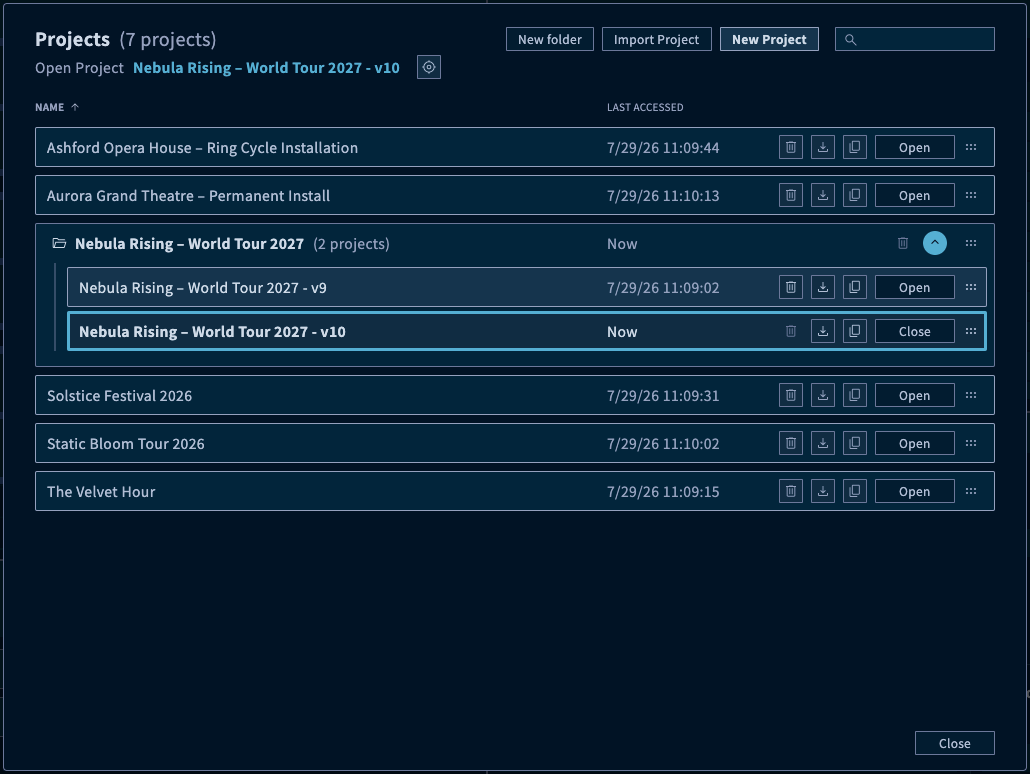
Araneo Studio’s Online and Project modes give you a flexible, reliable way to prepare, manage, and deploy LumiNode configurations with confidence. Every workflow is built around projects, making it easy for you to create, open, import, export, organize, and revisit configurations whenever needed. You can plan systems offline with virtual Project devices, connect to real Live devices on the network, and map both together to compare, synchronize, or update configurations.
This dual-mode approach keeps your setup efficient and reduces risk and deployment time on site. In Project Mode, you can preconfigure LumiNodes, assign device IDs, organize them into Selection Groups, and prepare complete configurations before hardware is connected. In Online Mode, you can view live devices and their current settings, then deploy prepared project configurations to mapped devices or retrieve live settings back into the project when needed. Clear synced and unsynced states help you instantly understand whether project and live configurations match.
The result is a smoother workflow from design to deployment: faster preparation, a better overview, fewer manual steps, and more control when moving from planned configurations to real-world devices.
Fixture Control & Test
Araneo Studio’s Fixture Control & Test feature streamlines lighting setup by enabling fast, reliable verification of fixtures during build up, without relying on the main lighting console.
Users can take full control of fixtures directly within the system. Individual fixtures or custom defined groups can be selected and tested with ease. Each parameter, such as color, pan, tilt, zoom, and more, can be included in the test cycles, ensuring every aspect of performance is validated.
Standardized fixture data can be imported easily via MVR and GDTF files or libraries for optimal cross platform compatibility.
By integrating this into the workflow, you save valuable time while gaining confidence that the installation is fully operational and show ready.

Manage LumiNode /LumiCore devices
Araneo Studio introduces a powerful new visualization approach that gives users instant clarity over their entire LumiNode and LumiCore infrastructure. The Plan Pane displays each device exactly as it exists in the real world, with ports, protocols, processing modes and statuses shown directly on the hardware-style layout.
Every DMX port reveals its active Process Engine, universe routing and protocol usage at a glance, allowing you to understand data flow without diving through menus. Real-time indicators—such as RDM status, DMX activity and engine mode icons—make it easy to spot issues and confirm configuration choices instantly.
By combining an intuitive visual map with live feedback, Araneo Studio turns complex systems into an accessible overview, helping users work faster, reduce errors and gain complete confidence in their setup.

Click to enlarge the image.
Configure Process Engines
Araneo Studio brings a new level of clarity and control to configuring Process Engines on LumiNodes and LumiCores. The Configuration Pane centralizes all engine-related parameters, giving users an immediate, structured view of inputs, outputs, universes and protocol routing.
Each Process Engine can be quickly shaped to match your workflow: assign DMX ports, map Art-Net or sACN universes, define routing logic, or adjust processing modes—all within a clean, intuitive interface. Visual markers clearly show which settings have been changed, while pending-change indicators ensure you always know what will be applied before committing anything to the device.
This thoughtful approach lets users experiment, refine and optimize their engine setups confidently and efficiently. Whether you are building a complex routing system or adjusting a single universe, Araneo Studio makes Process Engine configuration faster, smarter and more reliable.

Click to enlarge the images.

Optimise workflow with templates
Araneo Studio transforms repetitive configuration work into a fast, streamlined process thanks to its powerful Templates system. Process Engine setups that once had to be recreated device by device can now be saved, reused and applied in seconds — ensuring consistency across your entire LumiNode infrastructure.
Creating or editing a template is effortless, and applying it is even faster: simply select a DMX port or engine slot and Araneo Studio instantly populates it with the correct logic, universes and protocol routing. Smart auto-incrementing of universe numbers accelerates large-scale deployments, while optional overrides let you maintain fixed values whenever needed.
This optimized workflow not only saves significant setup time but also reduces configuration errors and keeps your system design perfectly aligned from device to device. Templates turn best practices into reusable building blocks, making your network quicker to deploy, easier to manage and more reliable overall.

Click to enlarge the image.